vandana computer is the best institute and all teacher very good this institute is students future
 Bestseller
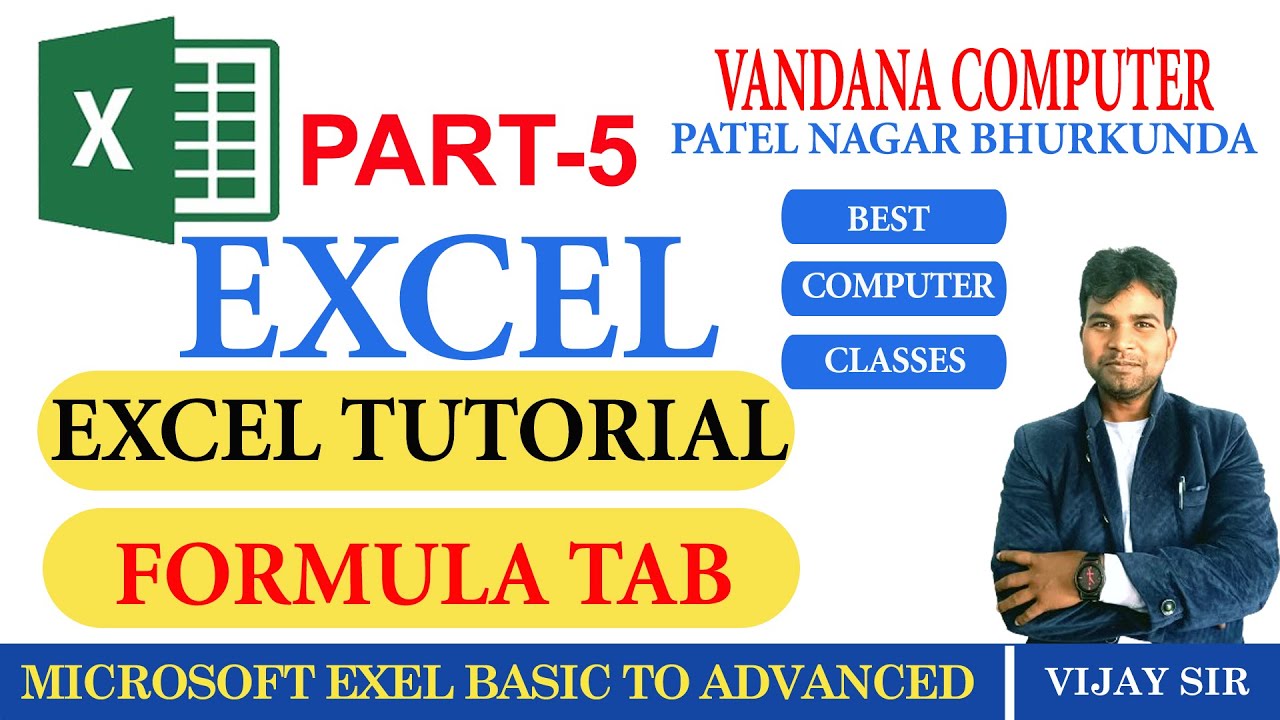
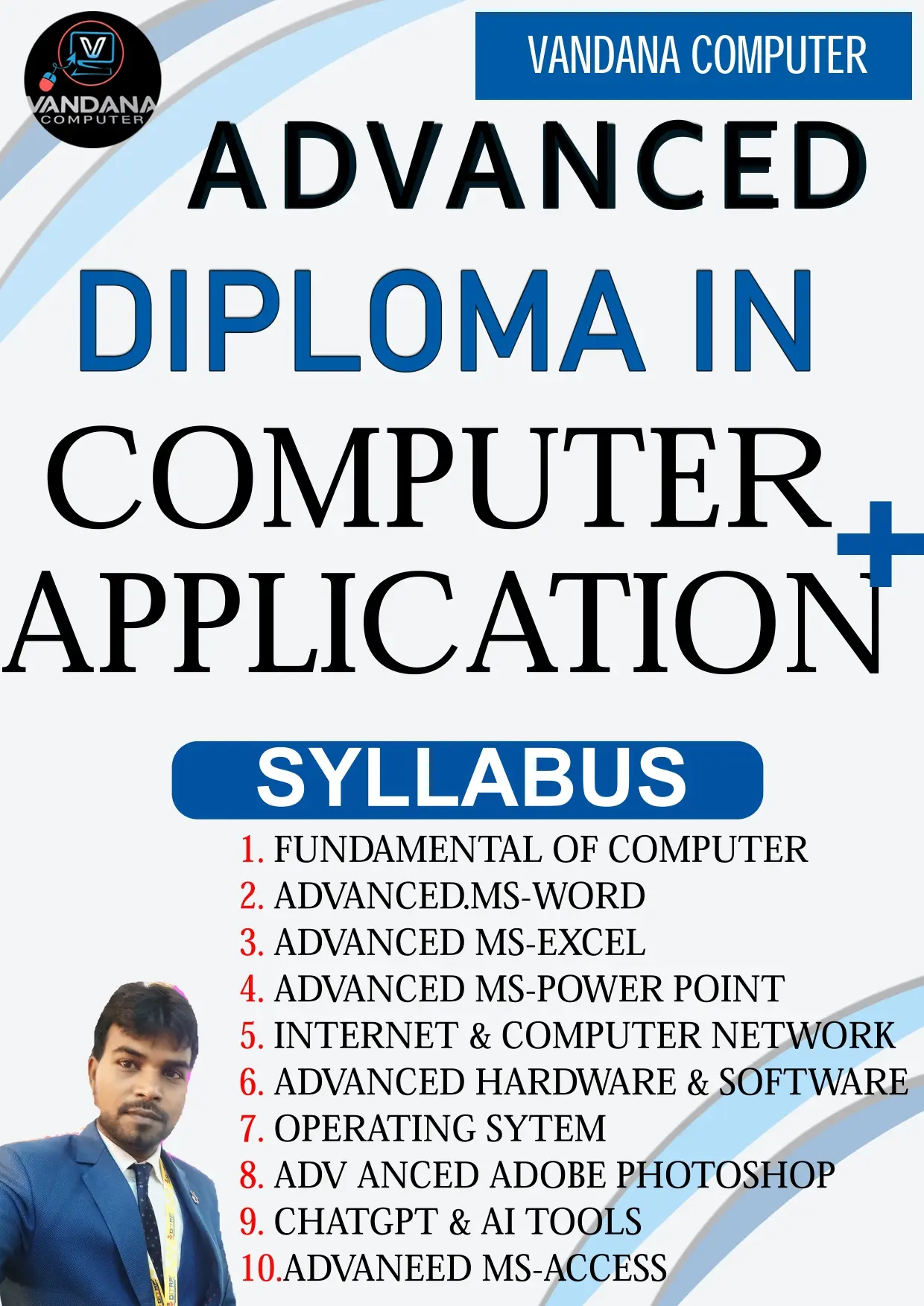
यह Job-Oriented Computer Course विशेष रूप से उन छात्रों के लिए डिज़ाइन किया गया है जो नौकरी, ऑफिस वर्क, सरकारी/प्राइवेट सेक्टर और डिजिटल कार्यों के लिए कंप्यूटर में पूर्ण रूप से दक्ष बनना चाहते हैं। इस कोर्स में Basic से Advanced Level तक सभी आवश्यक Computer Skills को Practical + Real-Life Applications के साथ सिखाया जाता है।
कोर्स की शुरुआत Fundamentals of Computer से होती है, जिसमें Computer Basics, Hardware-Software, Operating System, Data Management और File Handling शामिल है। इसके बाद MS Word, MS Excel, MS PowerPoint और MS Access को पूरी तरह Job-Oriented तरीके से सिखाया जाता है, जैसे Resume, Salary Sheet, Attendance, Reports, Database Management, Presentations आदि।
छात्रों को Internet & Computer Networking, Email Communication, Online Forms, Digital Payments, Government Portals, Cyber Security Awareness और Cloud Tools का व्यावहारिक ज्ञान दिया जाता है, जिससे वे ऑफिस, बैंक, स्कूल, दुकान और सरकारी कार्यों में आत्मनिर्भर बन सकें।
कोर्स में Advanced Skills के रूप में:
यह कोर्स पूरी तरह Hands-on Practical, Mini Projects, Real-Life Examples और Bilingual Teaching (Hindi + English) पर आधारित है, जिससे छात्र न केवल कंप्यूटर सीखते हैं बल्कि काम करने योग्य (Employable) बनते हैं।
🎯 Job Purpose के लिए "Fundamentals of Computer" में क्या-क्या पढाना चाहिए
1. Introduction to Computers
Computer की परिभाषा औि उपयोग
Characteristics of Computers (Speed, Accuracy, Automation, Storage)
Types of Computers (Desktop, Laptop, Server, Mobile)
2. Basic Components
Hardware (Input, Output, Storage, Processing Devices)
Software (System Software vs Application Software)
Operating System का मित्व (Windows, Linux basics)
3. Data & Information
Data vs Information
Binary System (0 औि 1 की समझ)
Units of Memory (Bit, Byte, KB, MB, GB, TB)
4. Computer Operations
Booting Process
File Management (Create, Save, Copy, Delete, Rename)
Folder Structure औि Navigation
5. MS Office Basics (Job-Oriented)
MS Word: Typing, Formatting, Tables, Mail Merge
MS Excel: Formulas, Charts, Data Entry, Sorting/Filtering
MS PowerPoint: Presentation Basics, Slide Design
MS Access: Database Fundamentals (optional, advanced jobs के लिए)
6. Internet & Networking
Internet Basics (Browser, Search Engine, Email)
Cloud Storage (Google Drive, OneDrive)
Networking Basics (LAN, WAN, Wi-Fi)
Cyber Security Basics (Passwords, Antivirus, Safe Browsing)
7. Digital Communication
Email Writing (Formal/Informal)
Attachments, CC/BCC, Signatures
Online Forms औि Applications
8. Job-Oriented Applications
Online Banking & Digital Payments (UPI, Net Banking)
Government Portals (Scholarship, Exam Forms, GST Filing)
Office Automation (Attendance, Payroll, Inventory)
9. Emerging Technologies (Awareness Level)
Cloud Computing
Artificial Intelligence (Basic Awareness)
Digital India Initiatives
📌 Teaching Strategy (Job Purpose Focus)
Hands-on Practice: िि टॉपपक के बाद प्रैक्क्टकि डेमो (जैसे Email भेजना, Excel में Salary Sheet बनाना)
Real-Life Examples: Office, School, Bank, Shop Management
Bilingual Explanation: English terms + Hindi explanation
Mini Projects: Resume बनाना, Excel में Result Sheet, PowerPoint में Presentation
📘 Advanced MS Word (Job-Oriented Topics)
1. Professional Formatting
Resume / CV बनाना (Tables, Bullet Points, Styles)
Cover Letter और Official Applications Formatting
Paragraph Alignment, Line Spacing, Indentation
2. Tables & Data Handling
Advanced Tables (Merge, Split, Table Design)
Tabular Reports बनाना
Charts और SmartArt Insert करना
3. Page Layout & Document Design
Page Setup (Margins, Orientation, Columns)
Headers, Footers, Page Numbering
Watermark, Borders, Background
4. References & Documentation
Table of Contents (TOC) बनाना
Footnotes, Endnotes, Citations
Index और Cross-References
5. Mail Merge (बहुत ज़रूरी)
Letters, Envelopes, Labels के लिए Mail Merge
Bulk Certificates और Salary Slips बनाना
6. Review & Collaboration
Track Changes और Comments
Compare Documents
Restrict Editing और Password Protection
7. Graphics & Visuals
Pictures, Shapes, Icons Insert करना
WordArt और Text Box
Certificates, Notices, Invitations Design करना
8. Automation & Productivity
Quick Parts और Fields
Macros का Introduction (Automation)
Templates बनाना और Use करना
9. Export & Sharing
PDF Export करना
Cloud Integration (OneDrive, SharePoint)
Document Security (Password, Restrict Editing)
10. Practical Job Projects
Resume + Cover Letter तैयार करना
Office Circular / Notice Draft करना
Report Writing with TOC & References
Mail Merge से Bulk Letters बनाना
Certificates और ID Cards Design करन
📊 Advanced MS Excel (Job-Oriented Topics)
1. Data Management & Formatting
Data Validation (Drop-down lists, Error alerts)
Conditional Formatting (Highlight rules, Color scales, Icon sets)
Custom Number Formatting (₹, %, Dates)
2. Formulas & Functions (बहुत ज़रूरी)
Logical Functions: IF, AND, OR, IFERROR
Lookup Functions: VLOOKUP, HLOOKUP, XLOOKUP, INDEX + MATCH
Text Functions: LEFT, RIGHT, MID, LEN, TRIM, CONCATENATE, TEXTJOIN
Date & Time Functions: TODAY, NOW, DATEDIF, NETWORKDAYS
Math & Statistical Functions: SUMIF, COUNTIF, AVERAGEIF, ROUND
3. Data Analysis Tools
Pivot Tables & Pivot Charts
Sorting & Advanced Filtering
Subtotals और Grouping
What-If Analysis (Scenario Manager, Goal Seek, Data Table)
4. Charts & Visualization
Advanced Charts (Combo Chart, Histogram, Sparklines)
Dynamic Charts with Named Ranges
Dashboard Creation Basics
5. Excel Tables & Power Tools
Excel Tables (Structured References)
Power Query (Data Cleaning & Transformation)
Power Pivot (Data Modeling, Relationships)
6. Automation & Productivity
Macros का Introduction (Recording simple tasks)
Using Developer Tab
Protecting Sheets & Workbooks
7. Collaboration & Security
Track Changes और Comments
Share Workbook & Co-authoring
Password Protection, Hide/Lock Cells
8. Job-Oriented Practical Projects
Salary Sheet with Formulas
Attendance Register with Conditional Formatting
Sales Report using Pivot Table
Invoice / Bill Format with VLOOKUP
MIS Dashboard for Monthly Performance
🎯 Job Purpose के लिए MS Access में क्या-क्या पढाना चाहिए
1. Basics of Database
Database क्या िै और क्यों ज़रूरी िै
Tables, Records, Fields की समझ
Primary Key और Relationships
2. MS Access Interface
Ribbon, Navigation Pane, Object Types
Database Templates का उपयोग
3. Tables
Table बनाना (Design View & Datasheet View)
Data Types (Text, Number, Date/Time, Currency आहि)
Field Properties (Validation Rule, Default Value, Required Field)
4. Queries (बिुत ज़रूरी Job Purpose के लिए)
Simple Select Queries
Criteria िगाना (जैसे >, <, Between, Like)
Parameter Queries
Action Queries (Update, Delete, Append, Make Table)
SQL View की बेलसक समझ
5. Forms
Data Entry के लिए User-friendly Forms
Form Controls (Combo Box, List Box, Buttons)
Navigation और Sub-Forms
6. Reports
Report बनाना और Formatting
Grouping & Sorting
Calculated Fields और Summaries (जैसे Total, Average)
7. Relationships & Referential Integrity
One-to-One, One-to-Many Relationships
Cascade Update/Delete Rules
8. Practical Job-Oriented Applications
Student Database Management
Employee Attendance/Payroll System
Inventory & Stock Management
Library Management System
Billing System
9. Advanced Features (Optional but Useful)
Macros (Automation)
Import/Export Data (Excel, CSV, SQL Server)
Security Basics (User-level permissions)
📌 Teaching Strategy (Job Purpose Focus)
Hands-on Projects: िर टॉपपक के बाि छोटा प्रोजेक्ट (जैसे Student Record System)
Real-Life Examples: Accounts, School, Shop, Office Management
Bilingual Explanation: English terms + Hindi explanation (जैसे Query = सवाि/छानबीन)
Excel Integration: Access से Excel में Reports Export करना
🎯 Job Purpose के हिसाब से PowerPoint Topics
1. Basics of PowerPoint
Interface समझना ( Ribbon, Tabs, Slides Pane)
नई स्लाइड बनाना और लेआउट चुनना
Text box, shapes और images insert करना
2. Professional Formatting
Corporate fonts और colour schemes का इस्तेमाल
Slide master का उपयोग (branding और consistency के ललए)
Alignment, spacing और readability पर ध्यान
3. Data Presentation
Charts (bar, pie, line) और SmartArt
Tables और infographics
Excel से data import करना
4. Visual Communication
High-quality images और icons का इस्तेमाल
Minimal design (कम टेक्सस्ट, ज़्यादा visuals)
Animation और transitions का सिी उपयोग (overuse से बचना)
5. Job-Oriented Applications
Company profile presentation
Project report / status update
Sales pitch और marketing deck
Training modules और classroom teaching slides
6. Soft Skills Integration
Presentation delivery skills (eye contact, voice modulation)
Storytelling approach (Problem → Solution → Result)
Time management during presentation
7. Advanced Features
Hyperlinks और action buttons (interactive presentations)
Embedding videos और audio
Export options (PDF, video, handouts)
📌 Practical Exercises for Students
Create a Resume Presentation (visual CV in slides)
Make a Business Proposal Deck (5–7 slides)
Prepare a Training Module (step-by-step tutorial)
Design a Festival/Event Invitation (creative slide design)
🎯 Job Purpose के लिए ChatGPT & AI में क्या-क्या पढाना चाहिए
1. Introduction to AI & ChatGPT
AI की परिभाषा औि िोज़मिाा के उपयोग
Generative AI क्या िै (Text, Image, Audio, Video)
ChatGPT का परिचय औि इसकी क्षमताएँ
2. ChatGPT Basics
Prompt क्या िोता िै औि कैसे लिखें
Simple Q&A, Summarization, Translation
Bilingual Communication (English + Hindi)
Limitations औि Ethical Use
3. Job-Oriented Applications of ChatGPT
Office Work: Emails, Notices, Reports Draft किना
Education: MCQs बनाना, Notes तैयाि किना, Quiz Design
Business: Product Descriptions, Marketing Content, Social Media Posts
Customer Support: FAQs, Chat Responses
Creative Work: Stories, Slogans, Festival Greetings
4. AI Tools Awareness
Image Generation (Posters, Banners, Thumbnails)
Data Analysis (Excel formulas explain किना, Charts बनाना)
Presentation Support (Slide Content तैयाि किना)
Language Support (Grammar Correction, Resume Writing)
5. Prompt Engineering (बिुत ज़रूिी Job Purpose के लिए)
Clear, Specific, Structured Prompts लिखना
Role-based Prompts (जैसे “Act as a Teacher”, “Act as a Designer”)
Iterative Prompting (Step-by-step सुधाि किना)
6. AI in Different Job Sectors
Education: Question Bank, Study Material
Banking/Office: Report Automation, Data Entry Support
Media/Design: Poster, Banner, Video Script
IT Support: Troubleshooting Guides, Documentation
7. Ethics & Safety
Plagiarism से बचना
Fake Information पिचानना
Responsible AI Use (Privacy, Bias Awareness)
8. Practical Projects
Resume बनाना (ChatGPT से Draft + Photoshop से Design)
Festival Poster (AI Generated + Editing)
School Notice Draft किना
Social Media Campaign Content तैयाि किना
MCQ Quiz Bank बनाना
📌 Teaching Strategy (Job Purpose Focus)
Hands-on Practice: िि टॉपपक के बाद ChatGPT से Practical Output बनवाना
Real-Life Examples: Office Notice, Business Poster, Student Quiz
Bilingual Explanation: English terms + Hindi explanation
Mini Projects: Resume, Festival Greeting, Marketing Post
🎯 Job Purpose के लिए Adobe Photoshop में क्या-क्या पढाना चाहिए
1. Introduction & Interface
Photoshop का परिचय औि उपयोग
Workspace, Tools Panel, Options Bar, Layers Panel
File Formats (PSD, JPEG, PNG, TIFF)
2. Basic Tools
Selection Tools (Marquee, Lasso, Magic Wand)
Move Tool, Crop Tool, Zoom Tool
Brush Tool, Eraser Tool, Gradient Tool
Color Picker औि Swatches
3. Layers & Masks (Job-Oriented)
Layers बनाना औि Manage किना
Layer Styles (Shadow, Glow, Stroke)
Layer Mask औि Clipping Mask
Adjustment Layers (Brightness/Contrast, Hue/Saturation, Levels)
4. Image Editing & Retouching
Resize, Rotate, Crop
Spot Healing, Clone Stamp, Patch Tool
Red Eye Removal, Skin Smoothening
Background Removal (Cut-out for ID Cards, Product Photos)
5. Text & Typography
Text Tool Basics
Font Selection, Alignment, Spacing
Text Effects (Shadow, Gradient, Stroke)
Logo & Banner Design
6. Shapes & Design Elements
Custom Shapes, Pen Tool Basics
Vector vs Raster Graphics
Icon & Button Design
7. Photo Manipulation (Job-Oriented)
Combining Multiple Images (Collage, Poster)
Color Correction & Filters
Smart Objects
8. Practical Job-Oriented Projects
Office Use: ID Card, Certificates, Letterhead
Business Use: Visiting Card, Brochure, Pamphlet
Social Media: Facebook/Instagram Post, YouTube Thumbnail
Education Use: School Banner, Event Poster
Print Media: Flex, Hoarding, Magazine Cover
9. Export & File Management
Save for Web (JPEG, PNG)
Print Settings
File Size Optimization
10. Advanced (Optional but Useful)
Actions & Automation
Batch Processing (Multiple Images at once)
Smart Filters
Integration with Illustrator & InDesign
📌 Teaching Strategy (Job Purpose Focus)
Hands-on Practice: िि टॉपपक के बाद छोटा प्रोजेक्ट (जैसे Visiting Card बनाना)
Real-Life Examples: Local Business Poster, School Certificate, Social Media Banner
Bilingual Explanation: English terms + Hindi explanation
Mini Projects: Resume Cover Design, Festival Greeting Card, Product Advertisement
🎯 Job Purpose के लिए "Internet & Computer Network" में क्या-क्या पढाना चाहिए
1. Basics of Networking
Computer Network की परिभाषा औि मित्व
Types of Networks: LAN, WAN, MAN, PAN
Network Topologies: Star, Bus, Ring, Mesh
Client-Server vs Peer-to-Peer
2. Networking Devices
Modem, Router, Switch, Hub
Access Point, Firewall
Cables (Ethernet, Fiber Optic) औि Wireless Media
3. IP Addressing & Protocols
IP Address (IPv4, IPv6)
DNS, DHCP, FTP, HTTP/HTTPS
TCP/IP Model औि OSI Model की बेलिक िमझ
4. Internet Fundamentals
Internet क्या िै औि कैिे काम किता िै
Web Browser, Search Engine, URL
Email Basics (Gmail, Outlook)
Cloud Services (Google Drive, OneDrive)
5. Practical Internet Usage (Job-Oriented)
Email Writing (Formal Communication, Attachments, CC/BCC)
Online Forms भिना (Exam, Scholarship, Govt. Portals)
Digital Payments (UPI, Net Banking, Wallets)
Video Conferencing Tools (Zoom, Teams, Google Meet)
Social Media for Business (LinkedIn, Facebook Pages)
6. Networking in Office Jobs
File Sharing over LAN
Printer Sharing
Remote Desktop Access
VPN Basics
7. Cyber Security Awareness
Strong Passwords, Two-Factor Authentication
Malware, Phishing, Spam Emails
Safe Browsing Practices
Data Backup & Recovery
8. Job-Oriented Projects
Small Office Network Setup (LAN + Printer Sharing)
Email Communication Practice (Resume भेजना, Official Mail Draft किना)
Online Form Filling & Digital Payment Simulation
Cloud Storage Project (Google Drive पि File Upload/Share)
📌 Teaching Strategy (Job Purpose Focus)
Hands-on Practice: LAN setup demo, Email भेजना, Online Payment simulation
Real-Life Examples: Office, School, Bank, Shop Networking
Bilingual Explanation: English terms + Hindi explanation
Mini Projects: Resume भेजना via Email, Result Sheet share किना via Cloud, Zoom Meeting join किना
🎯 Job Purpose के लिए "Computer Hardware & Software" में क्या - क्या
1. Introduction to Hardware & Software
Hardware और Software की एररभाषा
Input, Output, Storage, Processing Devices
System Software vs Application Software
2. Computer Hardware (Job-Oriented Basics)
Input Devices: Keyboard, Mouse, Scanner, Barcode Reader
Output Devices: Monitor, Printer, Projector
Storage Devices: HDD, SSD, Pen Drive, Memory Card
Processing Unit: CPU, Motherboard, RAM, Cache
Power Supply & UPS
Peripheral Devices: Webcam, Speakers, External Drives
3. Software Fundamentals
System Software: Operating System (Windows, Linux basics)
Utility Software: Antivirus, Compression Tools, Backup Tools
Application Software: MS Office, Tally, Browsers, Email Clients
Open Source vs Proprietary Software
4. Operating System (Job-Oriented Use)
Windows Basics: Desktop, Taskbar, Control Panel, File Explorer
File Management: Create, Save, Copy, Delete, Rename
Installing & Uninstalling Software
User Accounts & Permissions
5. Troubleshooting & Maintenance
Common Hardware Problems (No Display, Printer Not Working, Slow PC)
Software Issues (Not Responding, Virus Attack, Driver Problems)
Preventive Maintenance (Disk Cleanup, Defragmentation, Updates)
6. Networking & Connectivity
LAN/Wi-Fi Setup Basics
Sharing Printer & Files
Internet Settings & Troubleshooting
7. Cyber Security & Data Safety
Antivirus & Firewall Basics
Safe Browsing Practices
Data Backup (External Drive, Cloud)
8. Job-Oriented Practical Projects
Assembling a Computer (Demo)
Installing Windows + MS Office
Creating Resume in MS Word
Salary Sheet in MS Excel
Presentation in PowerPoint
Email Communication Practice
Printer Setup & Troubleshooting
📌 Teaching Strategy (Job Purpose Focus)
Hands-on Practice: Hardware parts एढााााा, Software install कराा, Troubleshooting कराा
Real-Life Examples: Office, School, Bank, Shop में इस्तेमाि ढोाे वािे Systems
Bilingual Explanation: English terms + Hindi explanation
Mini Projects: Resume बाााा, Excel में Result Sheet, Printer setup करा
🎯 📘 Job-Oriented Operating System Syllabus
1. Basics of Operating System
OS की परिभाषा औि ज़रूित
Types of OS: Single-user, Multi-user, Batch, Real-time
OS architecture (Kernel, Shell, User Interface)
2. Process Management
Process vs Program
Process life cycle (creation, execution, termination)
Scheduling techniques (FCFS, SJF, Priority, Round Robin)
Practical: Task Manager का use, process monitoring
3. Memory Management
Primary vs Secondary memory
Paging, Segmentation basics
Virtual memory concept
Practical: RAM usage monitoring, cache understanding
4. File System Management
File types, extensions, and attributes
Directory structure (Tree, Hierarchical)
File permissions (Read, Write, Execute)
Practical: Windows/Linux में file handling commands
5. Device Management
Input/Output devices औि drivers
Spooling, buffering concepts
Practical: Printer setup, device troubleshooting
6. User Management & Security
User accounts, groups, permissions
Authentication methods (password, biometrics)
Practical: Windows/Linux में user creation औि permission setting
7. Command Line Interface (CLI)
Windows CMD basics (dir, copy, del, tasklist)
Linux shell basics (ls, cp, rm, ps, chmod)
Practical: File औि process management via commands
8. Networking in OS
IP address, DNS, DHCP basics
OS level networking tools (ping, tracert, netstat)
Practical: LAN setup, Wi-Fi troubleshooting
9. Job-Oriented Practical Skills
Installing OS (Windows/Linux dual boot)
Partition management
Backup & restore methods
Troubleshooting common OS errors
Practical: Real-time problem solving (boot error, driver issue)
10. Employability Focus
OS knowledge in IT support jobs
OS skills for Data Entry & Office Admin
OS troubleshooting for Hardware/Networking jobs
OS basics for Software Testing & Development
🎯 Teaching Strategy
Theory + Practical balance (50-50)
Hands-on labs: हि concept के बाद real demo
MCQs & Short Notes: Competitive exams + interviews के लिए
Case Studies: जैसे "एक company में 50 users हैं, OS कैसे manage होगा?"

vandana computer is the best institute and all teacher very good this institute is students future

helpful teachers and easy learning methods here.I improved my computer skills nd enjoyed every clas

Computer sikhne ki sabse acchi jagah. Practical training aur expert teachers ke saath

Best computer institute in BHURKUNDA.

BEST COMPUTER INSTITUTE IN BHURKUNDA

great work! your effort and progress are impressive. keep it up vandana computer💻 👍👩🎓

Best computer institution Sayal branches. 👍🙏

andana Computer is one of the best places for computer services and learning. The staff is very help
very nice vandana computer

best computer of institutions

Best computer institute of bhurkunda vandana computer
Copyright © 2026 DITRP INDIA. All Rights Reserved